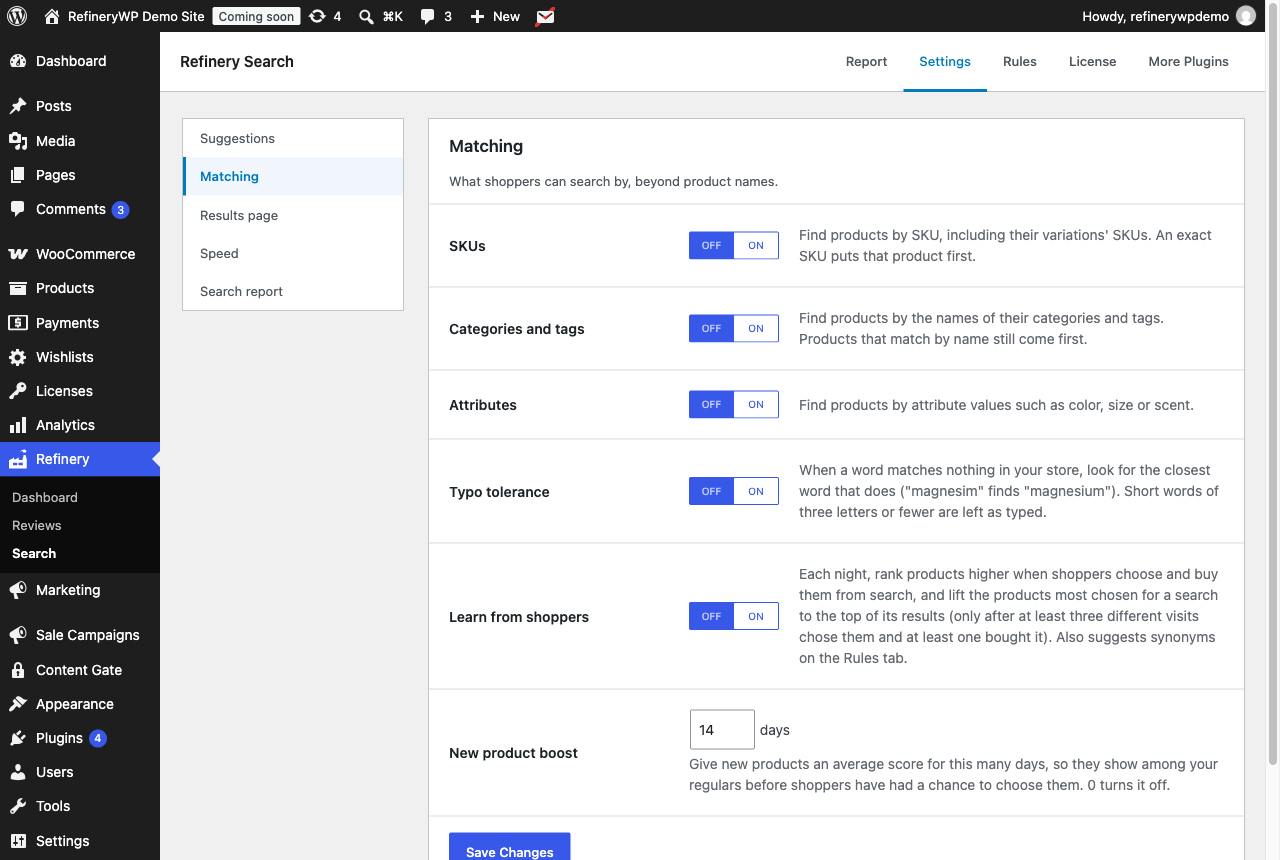
Refinery Search learns from what shoppers do after searching. Products that shoppers choose and buy from search rank higher, and the products most chosen for a particular search are lifted to the top of that search.
Prerequisites
- Record searches on (Settings > Search report). Learning uses the search log.
- Sales from search on, for purchases to count. Choices from search count either way.
How it works
Each night, after the search data is refreshed:
- Each product gets a score: its lifetime sales, plus 2 for every visit that chose it from search (up to 100 in total) and 10 for every paid order after choosing it from search, over the last 90 days. A choice only counts when the product really matches what was searched.
- For each search, the up to three products shoppers chose most are lifted to the top of that search’s results, once a shopper has bought the product after searching for it and either three different visits chose it or two orders came from it. Pinned products still come first.
- New products get the store’s median score for their first days, so they show among the regulars before shoppers have had a chance to choose them.
Settings
Go to Refinery > Search > Settings > Matching. Learn from shoppers turns learning on or off. New product boost sets how many days new products get the median score (14 by default, 0 turns it off).
Turning learning off returns ranking to lifetime sales (plus the new product boost) at the next nightly run, and stops lifting products and suggesting synonyms.