

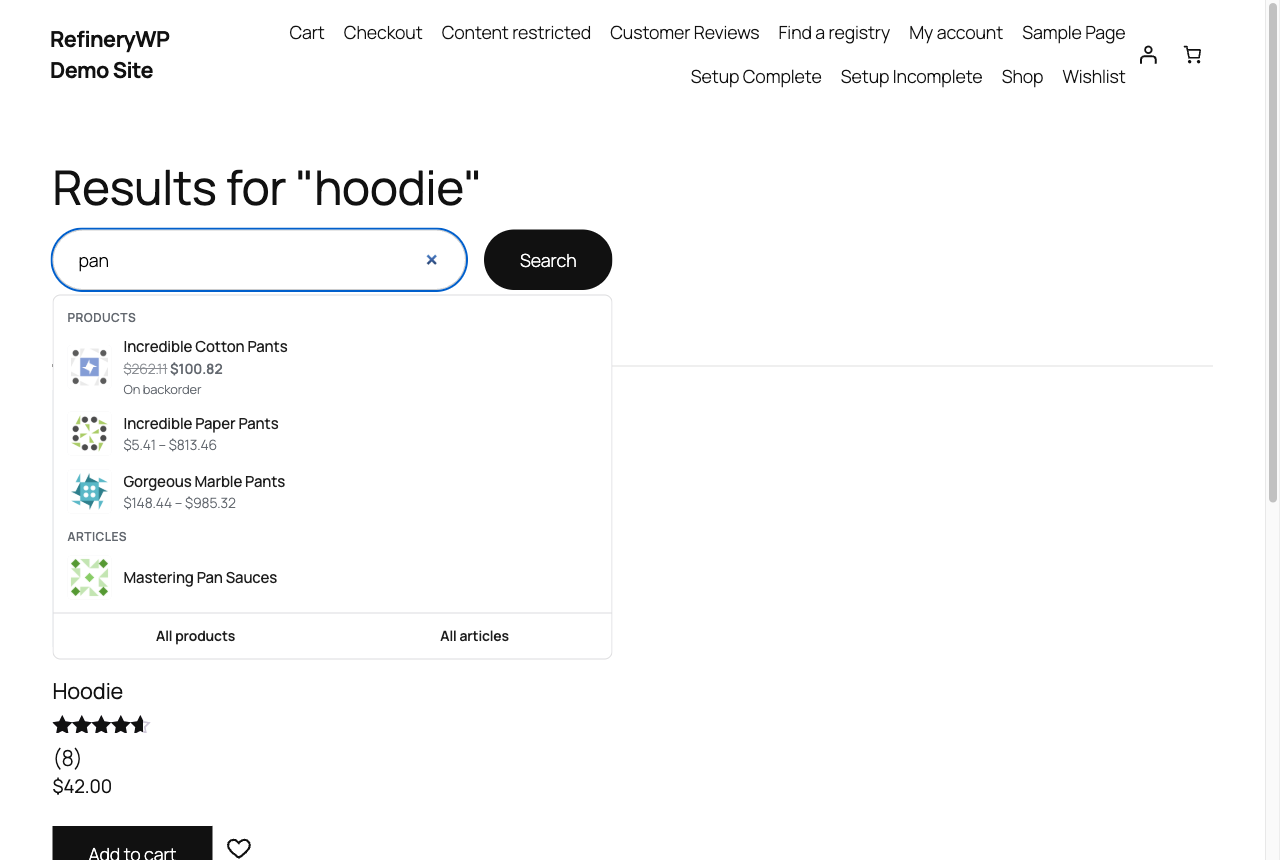
Refinery Search adds live search suggestions to a WooCommerce store. As a shopper types into any search field, a dropdown lists matching products with their image, price and stock, and matching blog posts. Products that shoppers buy most come first, so long-standing favorites are not buried under whatever was added last. Pressing Enter opens a results page that uses the same order.
There is nothing to set up. Once the plugin is active, every search field on the site, including the theme’s, shows suggestions, and the search data builds itself in the background.
Prerequisites
- WordPress 6.5 or newer and PHP 8.2 or newer.
- WooCommerce 8.6 or newer, active. Without WooCommerce the plugin does not load, because it searches WooCommerce products and uses WooCommerce’s background jobs to keep its search data current.
- A search field somewhere on the site. Themes usually have one in the header. A store without one can add the
- An active Refinery Search license, for updates and support.
Installing the plugin
- Download the plugin ZIP file from your Refinery account.
- In WP Admin, go to Plugins > Add New Plugin > Upload Plugin, choose the ZIP file and click Install Now, then Activate.
- Go to Refinery > Search > License, enter your license key and click Activate License. An active license gets plugin updates.
How it works
- Activate Refinery Search. It reads every published product and post in the background. On most stores this takes under a minute.
- Type at least two letters into a search field on the store. Suggestions appear under the field.
- Go to Refinery > Search in the WordPress Admin dashboard (WP Admin) to see the Report of what shoppers search for, and the Settings.
Suggestions only include what the store’s normal search already shows to a logged-out shopper: published products whose catalog visibility includes search, and published posts. Drafts, private and password-protected items never appear.
Where to go next
- Live suggestions: what the dropdown shows and how it finds results so fast.
- Results page: tabs, sorting and the page shown when nothing matches.
- Search report: top searches, searches that found nothing and sales from search.
- Matching and typo tolerance: SKUs, categories, attributes and misspellings.
- Synonyms, redirects and pinned products.
- Learning from shoppers.
- Multilingual stores and other Refinery plugins.
- Developer hooks.
Troubleshooting
No suggestions appear
- Go to Refinery > Search > Settings > Suggestions and check that Show suggestions is on.
- Check All search fields. When it is off, suggestions only appear in the
- Go to Settings > Speed. Under Search data, a store that has just activated the plugin shows “Building”. Wait for it to finish, or click Rebuild now.
- Type at least as many letters as Start after (2 by default).
A new product does not appear
Products are added to the search data in the background, usually within a minute of being saved. If the store’s WordPress cron is turned off, background jobs only run when someone visits WP Admin. Click Rebuild now under Settings > Speed to refresh everything.